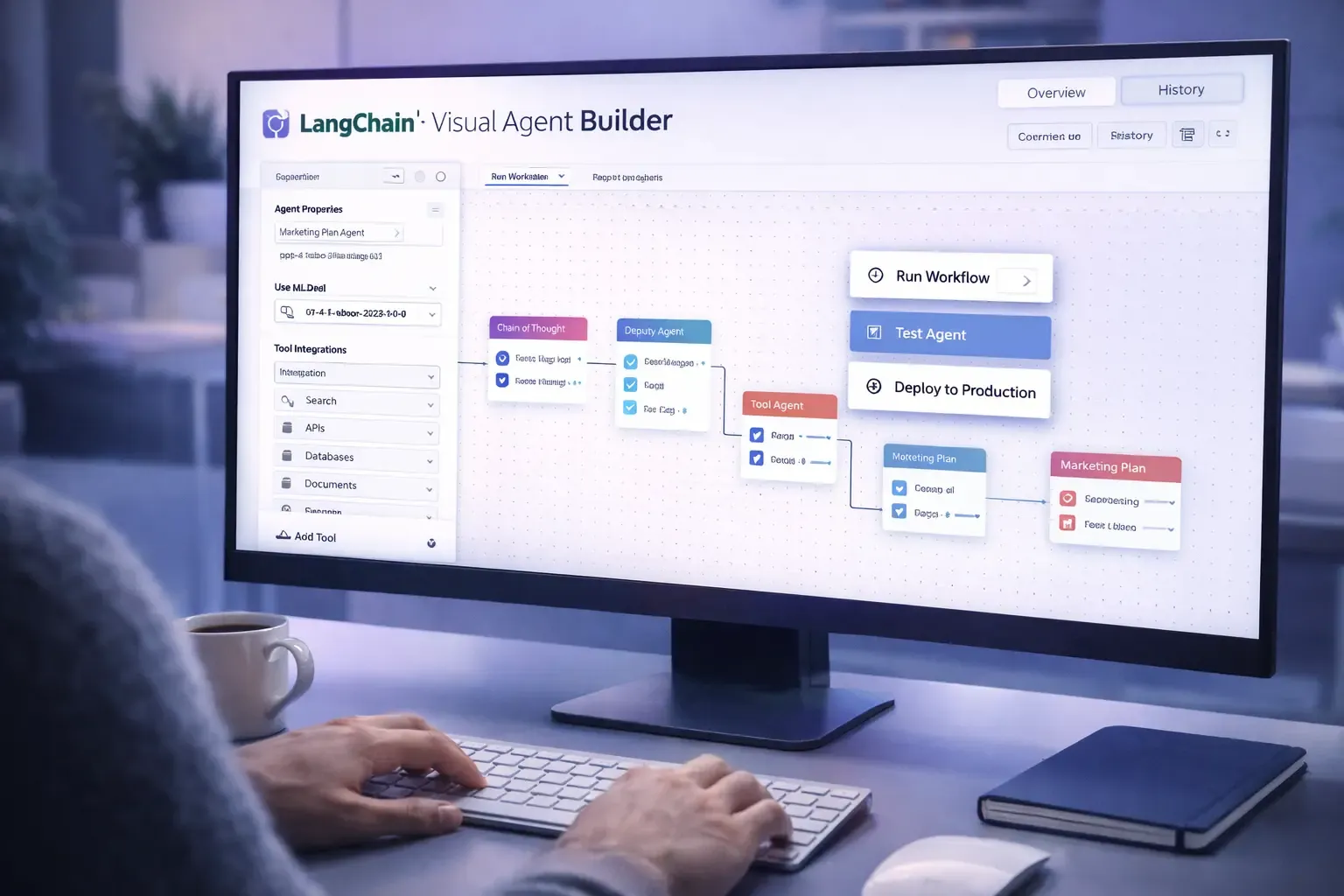
The world of AI development is evolving rapidly, and LangChain is pushing the boundaries with its latest release. With LangChain Visual Agent Builder, developers now have a tool to design, connect, and deploy AI agents for production applications without writing complex orchestration code.
This launch is a game changer for teams building autonomous AI workflows, enabling them to create smarter, scalable, and maintainable agent systems visually.
In this guide, we’ll explore:
- What LangChain Visual Agent Builder is
- How it works for developers
- Key features and benefits
- Real world use cases
- How it compares to traditional AI agent development
- Potential challenges
- FAQ optimized for Google snippets
What Is LangChain Visual Agent Builder
The Visual Agent Builder is a drag-and-drop interface for designing AI agents and workflows in LangChain. Instead of manually coding interactions, developers can:
- Connect AI agents to tools, APIs, or data sources
- Define task sequences with visual nodes and edges
- Configure agent roles, memory, and decision logic
- Test, run, and deploy workflows directly from the interface
This makes creating complex multi-agent systems accessible to a broader audience, including teams that may not have deep AI engineering expertise.
How the Visual Agent Builder Works
LangChain’s visual builder simplifies agent orchestration by allowing developers to design workflows in a canvas environment.
Node-Based Workflow Design
Agents, tools, and actions are represented as nodes, and the connections between nodes define the workflow sequence. Developers can:
- Drag and drop agents onto the canvas
- Link agents to APIs, databases, or web services
- Assign conditions and branching logic
- Visualize task dependencies
This approach makes workflows easier to understand, debug, and optimize.
Real Time Testing
The builder includes a live testing feature where agents can execute their tasks on sample data. Developers can:
- Preview outputs
- Monitor agent decisions
- Adjust task sequences before deploying to production
Deployment and Integration
Once workflows are finalized, the Visual Agent Builder allows:
- Exporting agents as deployable services
- Integration with cloud infrastructure
- Continuous updates and monitoring
- Scalability for multiple concurrent users
Key Features of LangChain Visual Agent Builder
1. Drag-and-Drop Interface
The visual interface eliminates complex code while retaining advanced configuration options for expert users.
2. Tool Integration
Agents can be connected to:
- Web APIs
- Databases
- Search engines
- External software tools
This allows agents to interact with real-world data and services.
3. Multi-Agent Orchestration
The system supports workflows with multiple agents handling different roles, enabling:
- Collaboration
- Parallel task execution
- Decision making with checks and balances
4. Memory and State Management
Agents can store context and share information across steps, supporting:
- Persistent workflows
- State dependent tasks
- Cumulative learning
5. Testing and Debugging
Developers can simulate workflows, visualize data flow, and monitor each agent’s decisions before deployment.
Benefits for Developers and Teams
The Visual Agent Builder provides clear advantages:
- Faster Development – Build AI workflows without extensive orchestration code.
- Reduced Errors – Visual pipelines reduce misconfigurations.
- Better Collaboration – Teams can understand workflows easily.
- Scalability – Easily expand workflows to multiple agents or users.
- Real World Integration – Connect agents to live data and tools seamlessly.
This makes production-grade AI agent workflows achievable without months of development.
Real World Use Cases
Customer Support Automation
Agents can be visually configured to:
- Answer FAQs
- Route complex queries to specialized models
- Log and analyze conversation history
Enterprise Workflows
Companies can deploy agents to:
- Automate reporting
- Monitor KPIs
- Manage scheduling and approvals
Research Assistance
Researchers can create multi-agent workflows to:
- Gather and summarize data
- Compare results across sources
- Generate insights automatically
Software Development
Visual agents can handle repetitive development tasks such as:
- Generating code snippets
- Testing APIs
- Logging issues and suggesting fixes
Comparison with Traditional Agent Development
Traditional AI agent workflows typically require:
- Manual coding for orchestration
- Deep knowledge of APIs
- Complex error handling
- Repeated debugging cycles
The Visual Agent Builder simplifies all of this by:
- Providing a node-based design canvas
- Enabling real-time testing
- Allowing drag-and-drop tool connections
- Supporting multi-agent collaboration visually
This reduces development time and makes AI workflows more maintainable.
Challenges and Considerations
While the Visual Agent Builder is powerful, developers should be aware of potential challenges:
- Over-Reliance on Visual Tools – Some advanced scenarios may still require code customization.
- Workflow Complexity – Large multi-agent workflows can become hard to visualize if not structured properly.
- Security and Data Privacy – Connecting agents to live systems requires careful handling of sensitive information.
- Resource Management – Multi-agent workflows may require significant computational resources.
Frequently Asked Questions
What is LangChain Visual Agent Builder
It is a drag-and-drop interface to design, test, and deploy AI agents visually for production workflows.
How does it differ from traditional AI agent development
Traditional workflows require manual coding for orchestration, while the Visual Builder uses a node-based canvas and live testing.
Can it handle multiple agents
Yes. It supports multi-agent workflows with collaboration, branching, and shared memory.
Is it suitable for production apps
Yes. Workflows can be tested, deployed, and scaled for real production environments.
Do I need programming knowledge to use it
Basic understanding of workflows is helpful, but drag-and-drop design reduces the need for deep coding expertise.
Which industries can benefit
Enterprise automation, customer support, research, software development, and data analysis all benefit.
Final Thoughts
The LangChain Visual Agent Builder represents a significant step forward in making AI agent workflows accessible, maintainable, and deployable. By visualizing multi-agent orchestration, developers can focus on designing smarter workflows rather than writing complex orchestration code.
This tool not only accelerates development but also reduces errors, improves collaboration, and allows teams to bring AI agents into production more confidently.
LangChain’s launch of the Visual Agent Builder signals a future where creating, managing, and scaling AI agents is intuitive, visual, and accessible for developers and teams alike.