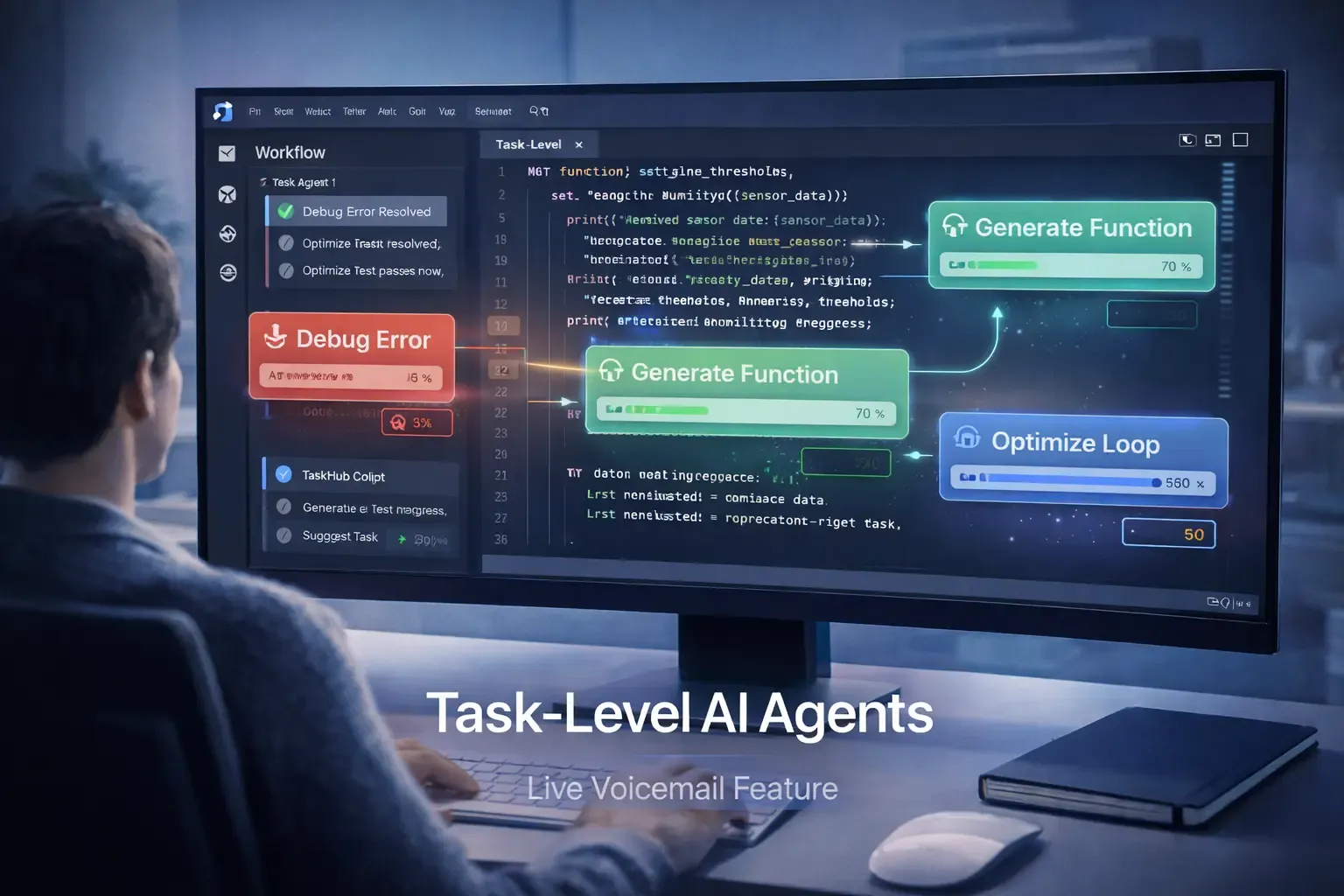
GitHub Copilot has transformed how developers write code, but now it is taking AI assistance to the next level. With the introduction of task-level AI agents, developers can automate coding, debugging, and workflow management at a granular level directly inside their IDE.
These agents don’t just suggest lines of code—they can take on specific coding tasks, track progress, and work alongside developers to execute multi-step operations. This evolution makes GitHub Copilot more of an intelligent coding partner than a simple autocomplete tool.
In this guide, we explore:
- What task-level AI agents in Copilot are
- How they work inside the IDE
- Key features and capabilities
- Practical use cases
- Benefits for developers and teams
- Comparison with traditional AI coding assistants
- Potential challenges and considerations
- FAQs optimized for search snippets
What Are GitHub Copilot Task-Level AI Agents
Task-level AI agents are specialized assistants integrated into GitHub Copilot that can handle specific coding tasks autonomously. Unlike the previous Copilot versions that suggest single lines or blocks of code, these agents can:
- Generate complete functions or classes
- Debug and fix errors automatically
- Optimize loops, queries, or algorithms
- Maintain state across multiple related tasks
- Collaborate on complex workflows
This allows developers to delegate well-defined coding tasks to AI while maintaining full oversight. The agents can manage multiple tasks at the same time, providing a more structured and efficient approach to coding.
How Task-Level AI Agents Work Inside Copilot
The key innovation is breaking down coding activities into discrete tasks that the AI can handle independently.
Task Assignment and Execution
Developers can assign tasks such as:
- “Generate REST API endpoint”
- “Refactor legacy code”
- “Write unit tests”
- “Optimize SQL query”
Each agent works on the assigned task, evaluates the output, and can request additional context or perform corrections if needed.
Multi-Agent Collaboration
Multiple task-level agents can work in parallel, sharing context and information. This enables:
- Division of labor for complex features
- Consistency across multiple files or modules
- Faster execution of multi-step workflows
Integration with IDE
Agents operate directly inside the IDE, providing:
- Real-time suggestions and corrections
- Highlighted code areas indicating AI interaction
- Task progress tracking through a sidebar
- Immediate testing and debugging feedback
This makes AI assistance feel like a natural extension of the development environment.
Key Features of Task-Level AI Agents
1. Task-Oriented Automation
Agents focus on well-defined coding tasks, reducing repetitive manual work and improving efficiency.
2. Real-Time Debugging
AI agents can:
- Identify logic errors
- Suggest fixes automatically
- Explain complex stack traces
- Propose optimized solutions
3. Context-Aware Code Generation
Agents maintain awareness of project structure, dependencies, and coding conventions, ensuring generated code aligns with the project standards.
4. Multi-Agent Coordination
Different agents can handle:
- Code generation
- Testing
- Documentation
- Refactoring
All while maintaining a shared context to avoid conflicts and errors.
5. Workflow Monitoring
The IDE provides a dashboard showing:
- Active agent tasks
- Progress status
- Suggested improvements
- Task history
This gives developers full visibility into automated operations.
Benefits for Developers and Teams
The introduction of task-level agents brings several advantages:
- Faster Development – Automate routine coding tasks and focus on architecture.
- Higher Code Quality – Agents maintain consistency and catch errors early.
- Enhanced Productivity – Multiple tasks can be handled in parallel.
- Team Collaboration – Easy visibility into what each AI agent is doing.
- Reduced Cognitive Load – Developers can focus on complex problem solving instead of repetitive coding.
This is especially valuable for large teams or projects with complex codebases.
Real World Use Cases
Feature Development
A developer building a new API can:
- Assign an agent to generate endpoint logic
- Use another agent for unit testing
- Have a third agent optimize database queries
- Review results and merge efficiently
Legacy Code Refactoring
AI agents can automatically:
- Identify code smells
- Refactor methods
- Update naming conventions
- Improve readability and maintainability
Continuous Integration
Task-level agents can assist with:
- Generating test cases
- Running automated checks
- Highlighting errors before commit
- Suggesting fixes for failing tests
Documentation and Comments
Agents can automatically generate:
- Method explanations
- README updates
- Usage examples
- Inline comments
How Task-Level Agents Compare to Traditional AI Coding Assistants
Previously, AI coding assistants only suggested code snippets without understanding the broader task or project context. GitHub Copilot with task-level agents provides:
- Granular task execution rather than single line suggestions
- Multi-agent collaboration for complex workflows
- Project-level awareness for consistency
- Real-time monitoring and progress tracking
This makes AI assistance more structured, reliable, and actionable for production environments.
Potential Challenges
While powerful, task-level AI agents come with considerations:
- Over-Reliance on AI – Developers must still review generated code.
- Complex Workflow Management – Large projects may require careful task coordination.
- Security and Privacy – Agents interacting with code and repositories must follow strict protocols.
- Resource Consumption – Multiple active agents may increase compute usage in large projects.
Proper monitoring and best practices are necessary to ensure effective use.
Frequently Asked Questions
What are GitHub Copilot task-level AI agents
They are specialized AI assistants within Copilot that handle discrete coding tasks autonomously while maintaining context.
How are they different from regular Copilot suggestions
Regular Copilot suggests code lines or blocks, while task-level agents execute multi-step tasks, debug, and optimize code.
Can multiple agents work simultaneously
Yes. Multiple agents can handle different tasks in parallel, sharing context to maintain consistency.
Do developers still need to review code
Absolutely. Human oversight is required to ensure quality, security, and correctness.
Which types of projects benefit most
Large projects, collaborative teams, enterprise software, and complex codebases gain the most from task-level AI agents.
Final Thoughts
GitHub Copilot’s task-level AI agents redefine developer productivity by moving beyond line-by-line suggestions. These agents handle multiple coding tasks simultaneously, maintain context across files, and collaborate to execute workflows efficiently.
Developers can now treat AI not as a helper for minor tasks but as a collaborative coding partner capable of tackling complex operations. This evolution represents a new era of AI-driven software development—one where automation, intelligence, and collaboration coexist seamlessly inside the IDE.