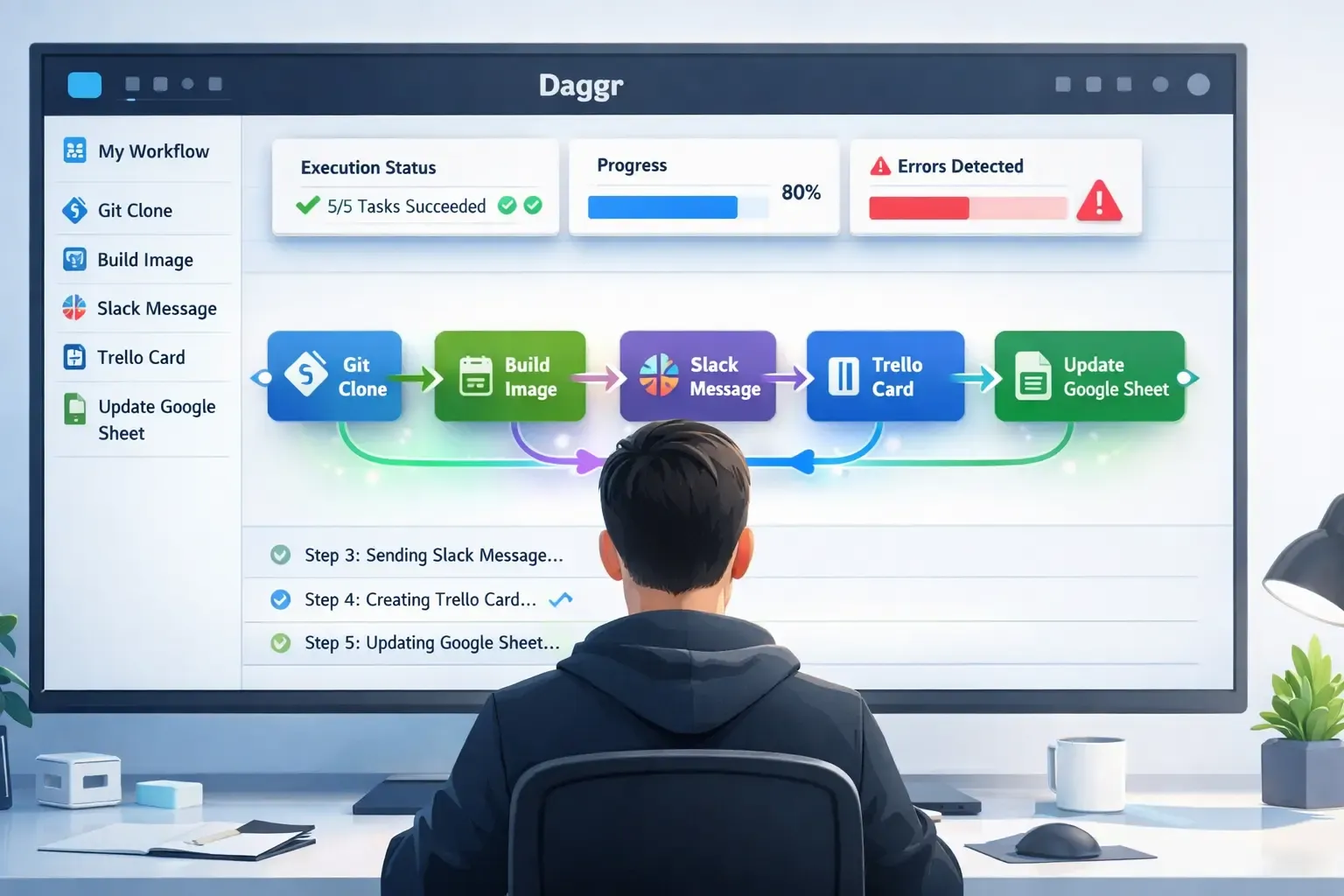
In today’s fast-paced digital world, managing multiple apps and automating repetitive tasks is a necessity for productivity. Daggr is a cutting-edge platform that enables users to chain apps programmatically while providing visual inspection of workflows. This combination allows teams and individuals to automate complex processes easily, track each step, and ensure everything runs smoothly.
In this blog, we’ll explore:
- What Daggr is and how it works
- Core features of the platform
- Benefits of programmatic app chaining
- Visual inspection capabilities
- Practical use cases
- Challenges and considerations
What Is Daggr?
Daggr is a workflow automation platform designed to help users connect multiple applications, manage tasks efficiently, and visualize the flow of operations. Unlike traditional automation tools that require heavy coding or lack clarity in execution, Daggr combines:
- Programmatic chaining – Automate tasks across multiple apps with code-like precision.
- Visual workflow inspection – See exactly how each step interacts, making it easy to debug and optimize.
The platform empowers both technical and non-technical users to create complex workflows without losing visibility or control over the process.
How Daggr Works
Daggr leverages a step-by-step approach to app workflow automation:
1. App Integration
Users start by connecting their favorite apps into Daggr. Supported apps may include:
- Productivity tools (Google Workspace, Slack, Trello)
- CRM and marketing platforms (Salesforce, HubSpot, Mailchimp)
- Data and analytics tools (Google Sheets, Airtable, Notion)
2. Programmatic Chaining
Once apps are connected, users can chain them programmatically:
- Define triggers (e.g., “new email received”)
- Set actions across apps (e.g., “create Trello card”)
- Include conditional logic for more advanced operations
Daggr allows both drag-and-drop configuration and script-like customization, offering flexibility for users of all skill levels.
3. Visual Inspection
One of Daggr’s standout features is visual workflow inspection:
- Every step in the workflow is represented visually
- Users can see real-time execution and status of each task
- Debugging is simplified with clear insights into where a workflow may fail
- Visual feedback ensures workflows are transparent and understandable
This combination of programmatic power and visual clarity is what sets Daggr apart from other automation platforms.
Key Features of Daggr
Programmatic Workflow Chaining
- Connect multiple apps seamlessly
- Use conditional logic to automate complex scenarios
- Execute multi-step workflows without writing extensive code
Visual Workflow Overview
- Inspect tasks visually in real time
- Easily identify bottlenecks or errors
- Monitor execution history and task success
Multi-App Automation
- Chain actions across more than one application
- Centralized control for diverse tools
- Streamline operations across different platforms
Customizable Triggers and Actions
- Use event-based triggers (e.g., form submissions, new messages)
- Customize actions according to workflow requirements
- Combine multiple triggers for dynamic workflows
Collaborative Environment
- Teams can work together on workflows
- Share and review automation setups
- Maintain audit logs for accountability
Benefits of Using Daggr
Using Daggr for workflow automation offers several advantages:
- Efficiency: Reduce manual tasks and repetitive work across apps
- Transparency: Visual inspection ensures users understand each workflow step
- Flexibility: Programmatic chaining allows advanced, customized workflows
- Collaboration: Teams can design and monitor workflows together
- Error Reduction: Clear visual feedback minimizes mistakes and debugging time
By combining automation with visual clarity, Daggr empowers teams to manage more tasks in less time without sacrificing oversight.
Practical Use Cases
1. Marketing Automation
- Trigger email campaigns when leads are added to a CRM
- Update Google Sheets with campaign metrics
- Notify Slack channels about high-priority leads
2. Project Management
- Automatically create Trello or Asana cards for new client requests
- Update status across multiple project management tools
- Track deadlines visually in real time
3. Data Management
- Sync data between Airtable, Google Sheets, and Notion
- Apply conditional rules to clean and process data automatically
- Inspect workflows to ensure accurate data transfer
4. Customer Support
- Automatically assign support tickets based on priority
- Notify agents via Slack or email
- Track resolution progress through visual dashboards
Challenges and Considerations
While Daggr is powerful, users should consider:
- Learning Curve: Advanced programmatic workflows may require technical knowledge
- App Limitations: Integration depends on app APIs and available connectors
- Workflow Complexity: Extremely complex workflows may require careful design to avoid errors
- Performance Monitoring: Large-scale automation should be regularly reviewed to ensure efficiency
With proper planning, these challenges can be managed effectively.
FAQ: Daggr Workflow Automation
What is Daggr?
Daggr is a platform that allows users to chain apps programmatically and inspect workflows visually for seamless automation.
Can non-technical users use Daggr?
Yes. Daggr offers both drag-and-drop interfaces and script-like customization, making it suitable for technical and non-technical users.
Which apps can I integrate with Daggr?
Daggr supports a wide range of apps including productivity tools, CRM platforms, analytics software, and more.
How does visual inspection help?
It allows users to see workflow steps in real time, identify errors quickly, and ensure tasks are executed as intended.
Is Daggr suitable for teams?
Absolutely. Teams can collaborate, monitor workflows, and maintain logs to improve productivity and accountability.
Final Thoughts
Daggr: Build and Manage App Workflows with Visual Inspection offers a unique combination of automation power and visual clarity. Whether you’re managing marketing campaigns, data pipelines, or project tasks, Daggr enables you to programmatically chain apps while keeping workflows transparent and easy to monitor.
By bridging the gap between technical automation and user-friendly inspection, Daggr helps businesses and teams streamline operations, reduce errors, and boost overall productivity.