Traditional online advertising funnels are losing their effectiveness. For years, digital marketers followed a standard playbook: run a social media ad, send the user to an external landing page, ask them to fill out a 6-field contact form, and hope a sales representative calls them back before the lead goes cold.
In today's fast-moving market, that multi-step journey creates too much friction. Users rarely want to fill out long forms or wait hours for an email response. They want clear, immediate answers.
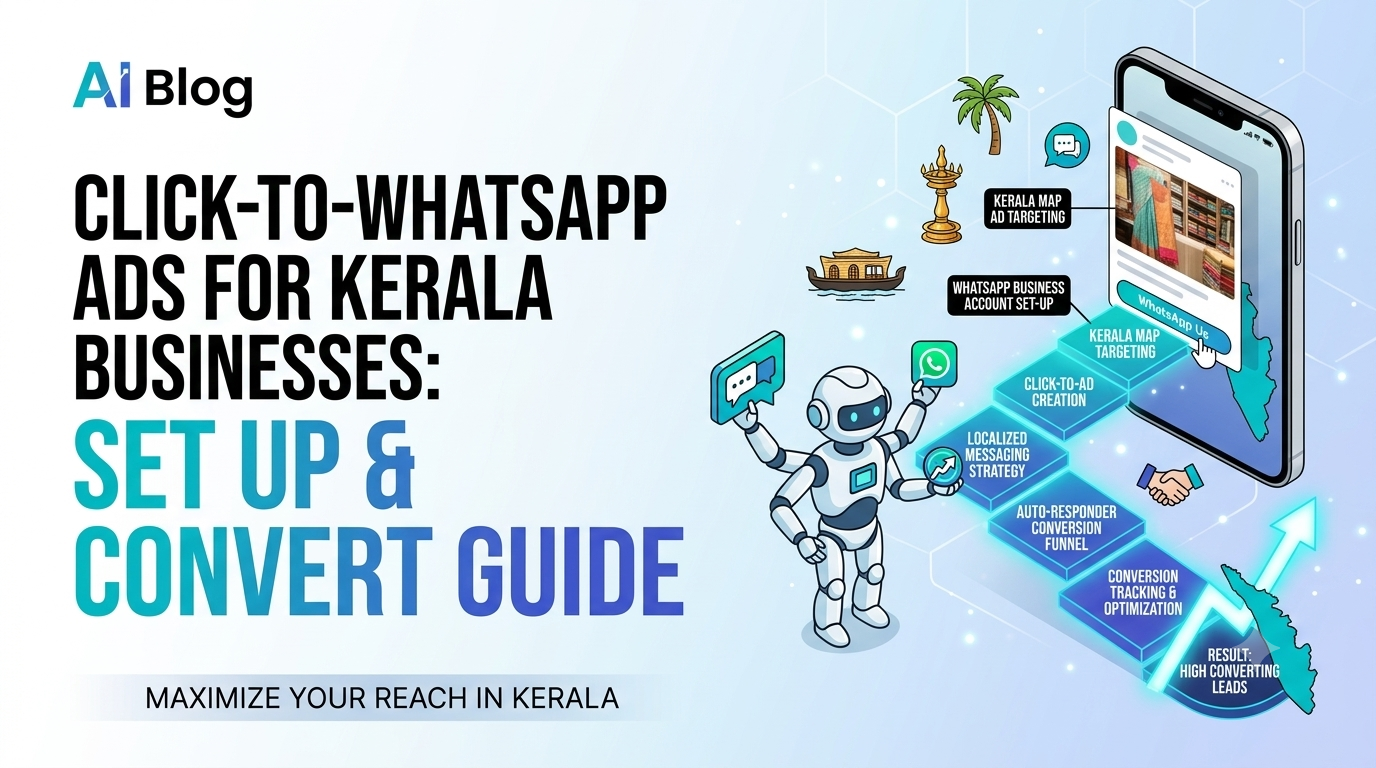
This shift explains why Click-to-WhatsApp ads for Kerala businesses have become one of the highest-converting digital growth channels. In a region where nearly every smartphone owner uses WhatsApp daily to chat with family, shop, and discover local services, directing ad traffic straight into a personal chat window removes drop-off barriers.
[Traditional Funnel] ──► Social Ad ──► Web Landing Page ──► Complex Form ──► Delayed Phone Call[WhatsApp Funnel] ──► Social Ad ──► Instant WhatsApp Chat ──► Automated Qualification ──► Fast Sale
This comprehensive guide covers how Click-to-WhatsApp (CTWA) ads work, how to set them up in Meta Ads Manager step-by-step, and how to build a high-converting chat experience.
Why Click-to-WhatsApp Ads Work Exceptionally Well in Kerala
To understand why this ad format delivers high returns, you have to look at local consumer habits. WhatsApp is more than just a messaging app in India; it is a primary ecosystem for personal and commercial interactions.
- Zero Form Friction: Tapping a "Send Message" ad opens an active chat room instantly. Users do not need to wait for heavy web pages to load or manually type in their contact details.
- First-Party Contact Capture: The moment a user clicks your ad and sends an initial message, your business captures their verified phone number and profile name automatically.
- Higher Open and Response Rates: Traditional marketing emails often get lost in spam folders with average open rates around 20%. In contrast, WhatsApp messages consistently see open rates over 90%, leading to much higher engagement.
- Cultural Preference for Direct Dialogue: From real estate buyers in Kochi to wedding shoppers in Kozhikode, local consumers prefer asking questions, requesting custom quotes, and negotiating directly with a real person before buying.
Step-by-Step Blueprint to Setting Up Your First Campaign
Setting up a Click-to-WhatsApp campaign requires connecting your social media assets correctly inside Meta Ads Manager. Follow this step-by-step process to ensure your tracking and delivery work smoothly:
1.Connect Your WhatsApp Business Account:Prerequisites.
Open your Meta Business Settings and navigate to Accounts ──► WhatsApp Accounts. Add your active WhatsApp Business phone number. Enter the verification code sent via SMS to pair your messaging account directly with your Facebook Page and Ad Account.
2.Select the Engagement Objective:Campaign Level.
Log into Meta Ads Manager, click Create, and choose the Engagement objective (or Sales if you use integrated WhatsApp checkout payment gateways). Name your campaign clearly and enable Advantage+ Campaign Budget to let Meta balance your spend automatically.
3.Set Messaging Apps as Your Conversion Location:Ad Set Level.
In the conversion section, select Messaging Apps as your target destination. Choose WhatsApp as your primary messaging platform. Set your local geographic targeting (e.g., specific districts across Kerala), set your age brackets, and set your daily budget.
4.Configure the Prefilled Opening Message:Ad Creative Level.
Upload your visual ad creative (vertical Reels or single images work best). Write ad copy that promises a clear benefit for chatting such as "Tap to get our full product catalog and price list on WhatsApp instantly." Finally, edit the Message Template to set up a helpful prefilled opening prompt (e.g., "Hi, I saw your ad on Instagram and would like to learn more about your services.").
How to Turn Incoming Chats into Real Sales
Launching the ad is only half the battle. The real magic—and profitability—happens inside the chat window once the prospect arrives. If you take 4 hours to reply, the lead will move on to a competitor.
[Customer Clicks Ad] ──► [Auto-Reply Fires (<30s)] ──► [Quick-Reply Options] ──► [Human Handoff / Sale]
To turn casual inquiries into paying customers, build your chat flow around three key operational strategies:
1. Respond Within 60 Seconds
Speed is everything in conversational sales. Use automated welcome messages or lightweight AI chatbots to greet the user instantly. Acknowledge their inquiry immediately so they know they are in the right place.
2. Use Quick-Reply Interactive Buttons
Do not force the customer to type out long sentences on their mobile screens. Provide interactive reply buttons or numbered list menus so they can tap options like "View Pricing," "Book a Free Consultation," or "Talk to a Sales Agent" with a single touch.
3. Blend Smart Automation with Human Support
While automated greetings filter early intent, high-value sales still require personal human interaction. Once a user selects a specific option, hand the chat over to a sales representative to answer nuanced questions, build trust, and close the deal.
If you want to build practical skills in running paid performance campaigns, mastering automated lead flows, and analyzing ad data, explore our hands-on Digital Marketing Course. Learning how to build multi-channel sales funnels turns you into a highly capable growth marketing professional.
Measuring Your True Return on Ad Spend (ROAS)
To optimize your Click-to-WhatsApp ads over time, you must look beyond top-level metric metrics like Cost-Per-Click (CPC) or Cost-Per-Conversation.
Key Metrics to Track | Why It Matters | Optimization Goal |
Cost Per Initiated Chat (CPIC) | Measures how efficiently your ad creative drives chat opens. | Keep ad copy clear so only relevant leads click. |
Chat-to-Qualified Lead Rate | Shows the percentage of incoming chats that match your ideal customer profile. | Refine your ad targeting and opening qualification prompts. |
Customer Acquisition Cost (CAC) | Calculates your total ad spend divided by the number of closed sales. | Streamline follow-up scripts to increase conversion rates. |
To learn how to combine paid messaging ads with technical search engine visibility, check out our specialized SEO and AI Search Optimization Course. Mastering both organic discovery and paid conversion paths ensures your brand maintains a steady stream of new leads.
Frequently Asked Questions (FAQs)
Do I need the WhatsApp Business API to run these ads?
No. You can start running Click-to-WhatsApp ads using the standard, free WhatsApp Business App. However, if you plan to handle hundreds of inquiries daily, integrating the WhatsApp Business API lets you connect multiple team members, set up advanced AI automation, and link your CRM.
What daily ad budget should a local business start with?
For local campaigns across specific districts in Kerala, starting with a daily budget of ₹500 to ₹1,000 gives Meta's delivery system enough learning data to find responsive users without overspending early on.
Can I run Click-to-WhatsApp ads without a website?
Yes! One of the biggest advantages of this format is that it does not require an external landing page or website. The entire customer journey from viewing the ad to closing the deal—can happen directly inside WhatsApp.
How do I stop irrelevant spam messages?
To filter out low-quality leads, make your ad copy very specific regarding pricing, location, and services offered. Additionally, use quick-reply qualification questions inside your automated welcome message to identify serious buyers before handing the chat over to your sales team.
Scale Your Business with Modern Lead Funnels
Using Click-to-WhatsApp ads for Kerala businesses bridges the gap between casual social media scrolling and real, direct sales conversations. By eliminating complex web forms, responding instantly, and offering clear guidance inside the chat, local brands can lower their customer acquisition costs and build lasting relationships.
Take time to pair your WhatsApp Business number, design clear ad creatives that set accurate expectations, and set up fast response paths. If you want structured mentorship and practical training to scale your digital growth skills, visit the Milaaj Digital Academy to explore our career-focused programs today.